Next.js Rendering Strategies Explained as State Machines
Table of Contents
- The State Machine You’re Already Using
- SSG: The Frozen State
- SSR: The Compute-Every-Time State
- ISR: The Time-Based Hybrid
- PPR: The Split-State Strategy
- Server State vs Client State: The Real Divide
- Server Actions: State Transitions as Functions
- Illegal State Transitions
- Why This Matters
- The ‘use client’ Boundary Is Your State Split
- Your Page’s State Is Declared Before Runtime
- Debugging Is Just Tracing State Transitions
- The Mental Model Shift
All web development frameworks can be reduced to a single mental model. I call this the Mind Stack. Nine layers that explain every architectural decision you’ll ever make. From state management to protocols. Each layer is a lens for understanding what’s really happening beneath the API surface.
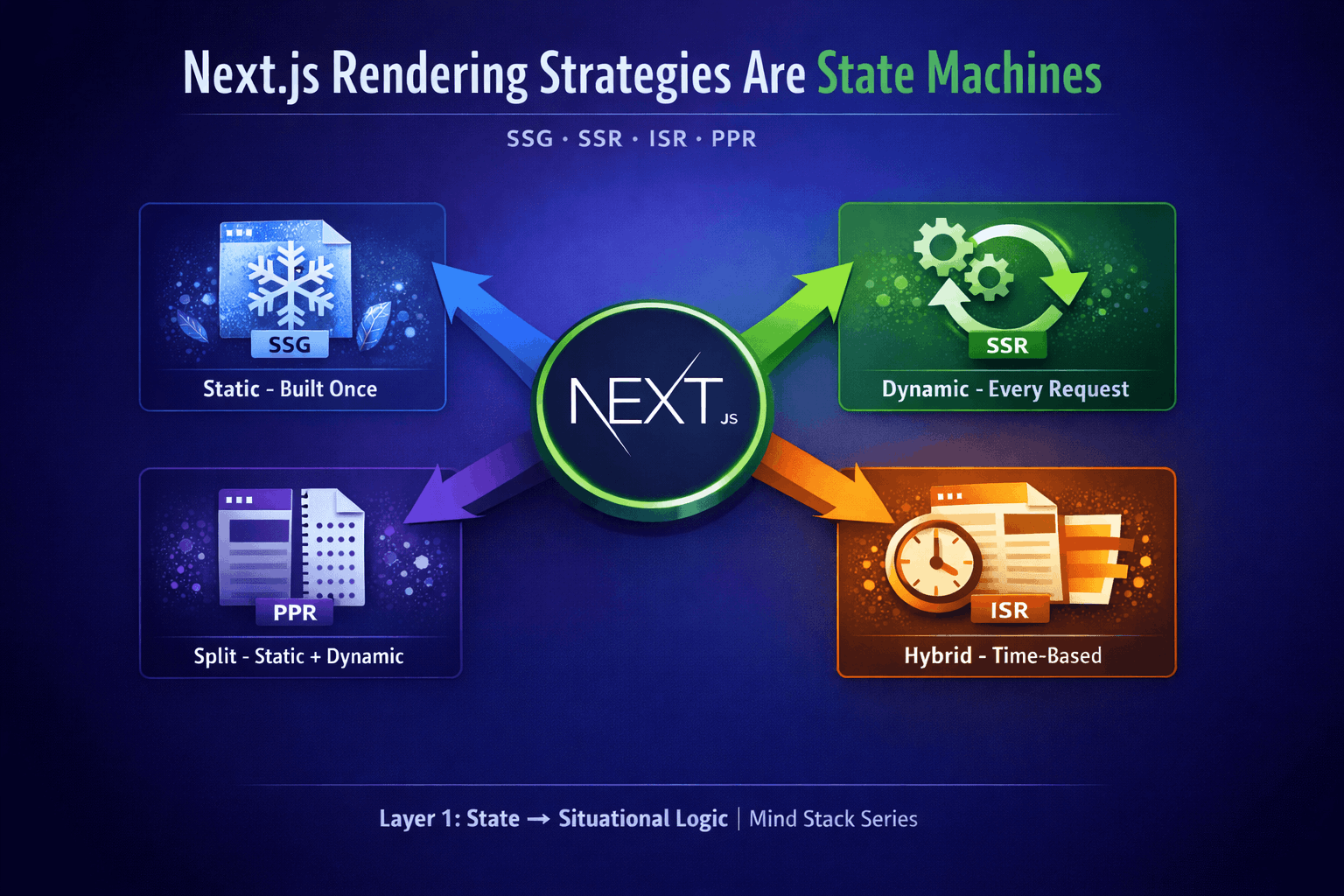
This article maps Next.js to Layer 1: State → Situational Logic. The idea is simple: all meaningful behavior in software is stateful, and Next.js rendering strategies are just state machines in disguise.
Ever wondered why choosing between SSG and SSR feels less like a performance optimization and more like a fundamental architecture decision? Because it is. Next.js rendering strategies aren’t just config options. Once you see rendering strategies as state machines, you can’t unsee it.
The State Machine You’re Already Using
Every Next.js page exists in a finite set of states. Not loading states or error states (though those too). I’m talking about rendering states. The foundational decisions about when HTML gets generated and where computation happens.
Think about it: a page can’t be both statically generated at build time AND dynamically rendered per request. These are mutually exclusive states. Your page is in one state or another, never both. That’s a state machine.
What’s a state machine? Just a formal way of saying “my thing can be in state A, state B, or state C. Never two at once, and it can only move between states in specific ways.” Like a traffic light: red, yellow, or green. Never red AND green.
🎯 Rendering strategies are exclusive. Your page can only be in one rendering state at a time: SSG, SSR, or ISR.
SSG: The Frozen State
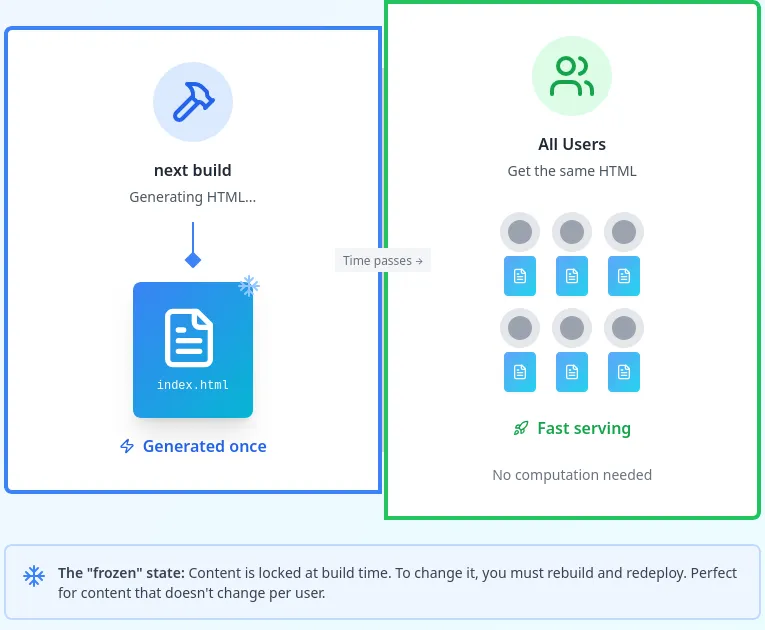
Static Site Generation is your page saying “I’m done. Lock me in. I’ll be the same for everyone until you rebuild me.”
This is the simplest state machine: one state, no transitions (until the next build). Your page gets generated once at build time and that’s it. Every user gets the same HTML. Fast as hell because there’s nothing to compute. It’s just file serving.
When to use it: Marketing pages, documentation, blog posts. Anything where the content doesn’t change per user or per request.
The trade-off: You can’t show personalized content or real-time data without client-side JavaScript picking up the slack.
SSR: The Compute-Every-Time State
Server-Side Rendering is the opposite extreme. Every request triggers a fresh render. User hits your page? Generate HTML right now, for them, with their data.
This is still a state machine, but now you have request-level state transitions: idle → request received → fetching data → rendering → response sent → idle.
When to use it: User dashboards, admin panels, anything that needs to be different for each person or must show the absolute latest data.
The trade-off: Slower than SSG because you’re computing on every request. But you get maximum freshness and personalization.
SSR: The Compute-Every-Time State
Every request triggers a full cycle
🔥 SSR: The Compute‑Every‑Time State 🔥 – Request‑level transitions, HTML generated fresh on each hit with user data
ISR: The Time-Based Hybrid
Incremental Static Regeneration is where things get interesting. Your page starts as static (like SSG), but after a certain time period, the next request triggers a background regeneration. The user still gets the stale page instantly, but Next.js kicks off a fresh render behind the scenes.
This is a proper state machine with multiple states and transitions:
- Static (fresh) → time passes → Static (stale) → request comes in → Regenerating → Static (fresh)
What’s “stale” mean here? Old data that’s still usable. Like day-old bread. Not ideal, but it works. Your revalidate: 60 says “this page goes stale after 60 seconds.”
When to use it: Product pages, news sites, anything that needs to be fast but can tolerate slight staleness. You get 90% of SSG speed with better freshness.
The trade-off: Your first user after the revalidation window gets stale content. Everyone after gets fresh content until it goes stale again.
ISR: The Time-Based Hybrid
Fast serving + background regeneration
⏳ ISR: The Time‑Based Hybrid ⏳ – Starts static, goes stale with time, regenerates in the background for fresh content
PPR: The Split-State Strategy
Partial Prerendering is Next.js doing something clever with state machines. Instead of forcing your whole page into one strategy, PPR uses a single render pass with a static shell and dynamic holes that stream in via Suspense boundaries.
Your navbar, footer, and layout? Prerendered and served instantly. User-specific content? Streamed in as it becomes available. Same page, one render pass, but different parts follow different timing strategies.
What’s “streaming” mean? Sending HTML in chunks as it’s ready, not waiting for everything to finish. Like loading a YouTube video. You see the first part while the rest downloads.
When to use it: When you have stable UI chrome but dynamic content. E-commerce product pages (static product info + dynamic inventory), social feeds (static layout + dynamic posts). PPR is stable and heavily used in Next.js 16+.
The trade-off: You need to think about what’s static and what’s dynamic, and where the Suspense boundaries go. The framework handles the complexity, but you’re declaring the boundaries.
PPR: The Split-State Strategy
Static shell + dynamic holes. One render pass, hybrid timing.
<Suspense> boundaries. Static parts render immediately. Dynamic parts stream in as they become ready. Same page, hybrid timing strategy.🌊 PPR: The Split‑State Strategy 🌊 – One render pass, static shell streams dynamic content via Suspense boundaries
Server State vs Client State: The Real Divide
Here’s where the state machine model really clicks: Next.js forces you to declare WHERE your state lives before you write any code.
- Server state: Data that changes on the backend. User profiles, database records, API responses.
- Client state: UI interactions. Form inputs, modals, dropdowns.
React Server Components and the 'use client' directive aren’t just performance optimizations. They’re state boundary declarations. You’re literally telling Next.js “this component runs on the server, this one runs on the client.”
What’s a “boundary”? A line between two different worlds. Server components can’t use useState or useEffect because those only make sense in the browser. Client components can’t directly access databases because they run in the user’s browser.
Mix them up and you get build errors, hydration mismatches, and components rendering in the wrong place. The framework is enforcing the state machine.
Server Actions: State Transitions as Functions
Server Actions are React’s answer to “how do I mutate server state without writing an API endpoint?”
They’re just functions, but they represent state transitions from client → server → database → back to client. You click a button, call a Server Action, and Next.js handles the serialization, transport, execution, and revalidation.
'use server'
export async function createPost(formData) {
  // This runs on the server
  // This is a state transition: no post → post exists
  await db.posts.create(...)
  revalidatePath('/posts')
}
What’s “revalidation” here? Telling Next.js “hey, that page’s data changed, go regenerate it.” It’s how you kick ISR or SSG pages back into the regeneration state.
Illegal State Transitions
You know what breaks Next.js apps? Trying to do illegal state transitions.
- Trying to use
localStoragein a Server Component (server state can’t access browser APIs) - Fetching data in a Client Component without proper loading states (you’re mixing rendering strategies)
- Calling a Server Action from a page that’s statically generated (static pages can’t trigger server mutations)
Next.js doesn’t stop you from writing this code. It just fails at runtime or build time, and the error messages are… let’s call them “educational.”
The state machine model helps: ask yourself “am I trying to transition from state A to state B? Is that transition allowed?”
Why This Matters
Most developers pick rendering strategies based on vibes. “This page feels static, let’s SSG it.” “This needs real-time data, SSR I guess?”
That works until it doesn’t. Then you’re debugging hydration errors, cache invalidation bugs, or stale data showing up where it shouldn’t.
The state machine lens gives you a better question: “What states does this page need to be in, and when should it transition between them?”
- Need to show the same content to everyone, forever? SSG. One state, no transitions.
- Need to show different content per user, right now? SSR. Request-triggered transitions.
- Need fast load times but occasional updates? ISR. Time-based transitions.
- Need static layout with dynamic sections? PPR. Multiple state machines in one page.
The ‘use client’ Boundary Is Your State Split
Here’s the thing nobody tells you: the 'use client' directive isn’t about performance. It’s about declaring which state machine your component belongs to.
Server Components run in the server state machine: build time or request time, deterministic, cacheable. Client Components run in the browser state machine: runtime, interactive, stateful.
You can’t mix them arbitrarily because they’re different state machines with different rules. Server Components can’t use browser APIs. Client Components can’t directly query databases. The boundary is the interface between two state machines.
Example: You have a product page. The product details? Server Component (server state machine). The “Add to Cart” button? Client Component (browser state machine). The Server Action that handles the cart update? Transition between the two state machines.
Your Page’s State Is Declared Before Runtime
Here’s the interesting part: Next.js determines your rendering strategy based on what you use in your code. Not explicit configuration (though you can force it), but automatic detection.
Use cookies() or headers()? Dynamic rendering. Only use cached fetch() calls? Static by default. Wrap dynamic parts in Suspense? You get PPR automatically.
- Add
export const dynamic = 'force-static'? You’ve forced the SSG state machine (even dynamic functions return empty). - Use dynamic functions without Suspense? SSR state machine.
- Add
revalidate: 60? ISR state machine. - Use dynamic functions inside Suspense boundaries? PPR. Static shell with streaming dynamic content.
Your architecture decision often happens through the APIs you call, not just configuration. The framework watches what you do and picks the appropriate state machine.
Debugging Is Just Tracing State Transitions
When your Next.js app breaks, you’re usually seeing an illegal state transition:
- “Hydration mismatch”? Your server-rendered state doesn’t match your client-rendered state.
- “Cannot use useState in Server Component”? You’re trying to add client state to the server state machine.
- “This page was statically generated but tried to access request data”? You’re trying to transition to a request-time state from a build-time state.
The error messages are telling you “you tried to do something this state machine doesn’t allow.”
The Mental Model Shift
Stop thinking of Next.js rendering strategies as performance optimizations. They’re not.
They’re architectural declarations about when your page can compute, where state lives, and what transitions are allowed. They’re state machines, and once you see them that way, half your decisions become obvious.
Next.js defaults to static unless you explicitly use dynamic functions. Touch cookies() or headers()? You’ve opted into SSR. Wrap those calls in Suspense? You get PPR with a static shell and streaming dynamic content.
- Is this data the same for everyone? → Default static (SSG state machine).
- Does it change per user? → Use dynamic functions → SSR state machine.
- Can it be stale for a bit? → Add
revalidate→ ISR state machine. - Is part of it static and part dynamic? → Suspense boundaries → PPR.
The framework isn’t being arbitrarily opinionated. It’s enforcing state machine boundaries so you don’t accidentally create impossible states.
And honestly? Once you stop fighting it and start thinking in state machines, Next.js gets a lot less magical and a lot more predictable.